Gauth Ai- Download the Best Homework Helper APK
Today
230 MB
v1.85.0
1000K+
Description
Meet the new homework helper app that is completely free, known as Gauth Ai. It can help you with homework or studying on many different subjects including Maths, General, Physics, Chemistry,and more. Here you will learn about how to scan questions and get their answers.
Additionally the app has many different features like for calculation you can use free scientific calculator. This online study app gives you a free online sessions, and quizzes. You need to capture your question and then click on the tick mark below to get the answer of the question.
How to use Gauth Ai App?
The home window of the app is a camera window. It is designed to take a photo of a question or problem you are trying to solve. Furthermore scroll sideways to select the subject you need help with or select general center. The camera window over the question you want the answered. Then tap the shutter button to capture a photo of the question and have it scanned by the Gauth App.
Likewise the ai will crop a box around one question shown in the image adjust the crop if needed then tap the check mark. Then the Gauth will provide you with the answer to the question. Additionally, if you doing a calculation the app will also provide any alternative formats for the answer and an explanation on how the answer was calculated. If you are using this app for other subjects you can ask follow-up questions to get more clarification or additional information about the answer you have received.
Different Tools In this App
The other ways to give gauth questions are to use the calculator tool in the top right corner, here you can use the scientific calculator or use the unit conversion to quickly convert measurements of length, Area, Volume, Speed, Weight, Time, Temperature angle or Acceleration. Similarly you can also import an image or screenshot of a question by tapping the image icon in bottom left corner of the camera.
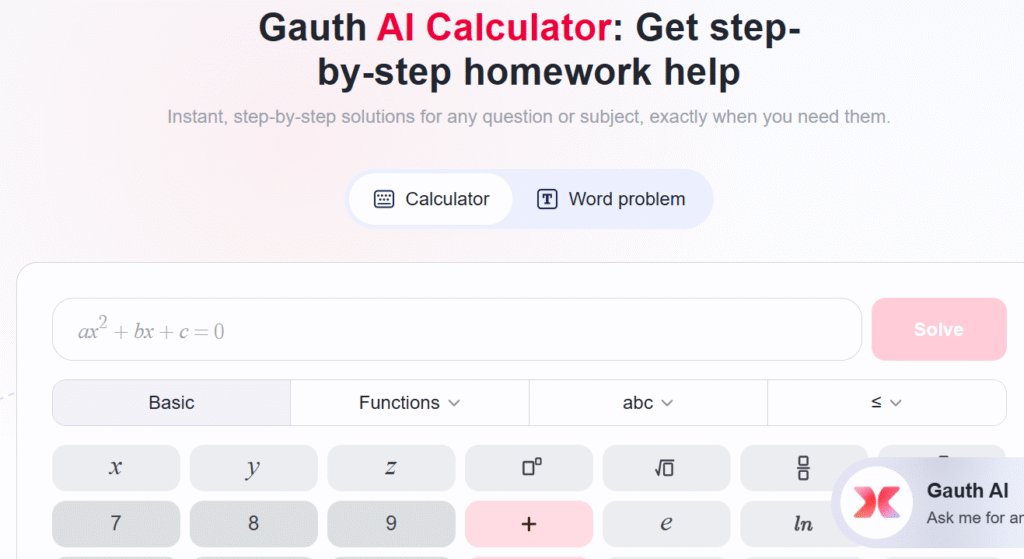
Next in the explore tab you will find other features to help you with homework and studying. Use the Book Summary tool to get information about a book you need to study, you can browse popular works or search for a book by title or author. When you select a book you will see an overview of the book along with study tool including a summary, analysis, important quotes, Characters, Theme and symbols. These tools make it easy for you to learn about and study important aspects of the selected book.
Writing & Music Tools in the Ap
Another useful tools including the Writting Assistance which can help you with any general writting tasks, creating outlines helping you with essays and the modify tool which can tailor work that you have already done. You can also access the calculator tool from the explore tap, this is the same calculator and conversion tool you will find in the home tap. The focus tool offers an AI study buddy, use it when you need to focus on your work and want some chill music to listen to while you study
Tap the length at the bottom to decide how long of a session you want to do. This can be anywhere from 5 minutes to 2 hours, then tap play to begin. In addition your animated study buddy can keep you company during session or you can lock your screen to just listen to the music. Moreover if you want to try out another type of music tap next. Also you can pause or stop a session at any time.
What are the Features of the Gauth AI?
- Download the app is free.
- Answer any question on any subject.
- Easy to scanned the question.
- Different free tools are available.
- Find out your weakness and then improve it.
- Break down complex problems into small parts.
Pros of the App
- One of the strogest features is its ability to generate custom quizzees based on your weakest areas.
- It maximizing study efficiency by answering all the questions.
- Whether you are cramming for finals or preparing for standarized tests, it analyze your performance and focuses your attention where it’s needed most.
- It can be useful for breaking down complex topics into manageable chunks with clear and concise explanations.
Drawbacks of the Ai Study Companion
However, there are the some drawbacks.
- For instance, one major issue is its subscription price, which might be steep for buget conscious students.
- Additionally, some users report occasional accuracy problems with certain subjects explanations, especially in highly specialized fields.
- Overall this is definitely worth trying if you are looking for a smart study partner that adapts to your learning style and helps target your weak points.
How to Download the Gauth Ai?
If you want to start using the Gauth app to help you with homework or studying but not sure how to download and install the Gauth APk. Now let’s get started to download this app.
For iOS
- First open the app store.
- Go to the search tab.
- Then type in Gauth at the top.
- Next tap the app when it appears in the search results.
- Then tap get, if prompted use Touch ID, Face ID or enter your password to confirm that you want to download the app.
- After that wait for the installation to complete.
- Then tap open to start using the app.
On Android Devices
- First open the Play Store.
- Then search for the app.
- After that click on the app icon when the search results appears.
- Then press on install to get the app.
- Wait to complete installation
Gauth APK Login Steps
- First Open the app and then go to profile.
- After that sign in with Email Address, create password or direct sign in with Faebook or Google.
- If you continue the sign in with Google choose an account to continue to the app.
- Tap on account and then click on the sign in button below.
Conclusion
The Gauth Ai is a study helper that will help you to break down difficult tasks into more sub manageable parts. Furthermore it will help you to get answers in different subjects like Maths, English, Chemistry and more. There are many tools available to use for example writting assisstance, calculator and books summary. Additionally it will provide you a correct answers of your question. Some features are paid to use or get detail answer. This is app is a great choice for those who are weakto solve mathematics problems or questionss. Download the app and learn from online with this AI app.
Download links
How to install Gauth Ai- Download the Best Homework Helper APK APK?
1. Tap the downloaded Gauth Ai- Download the Best Homework Helper APK APK file.
2. Touch install.
3. Follow the steps on the screen.